Bever Smart devices can share sensor information within a group . The sensor data is shared within a group of devices and the devices can belong to multiple groups.
This manual describes how to add devices to a group and how they can share sensor information.
Make sure that the devices are switched on and are added to a network.
Grouping devices
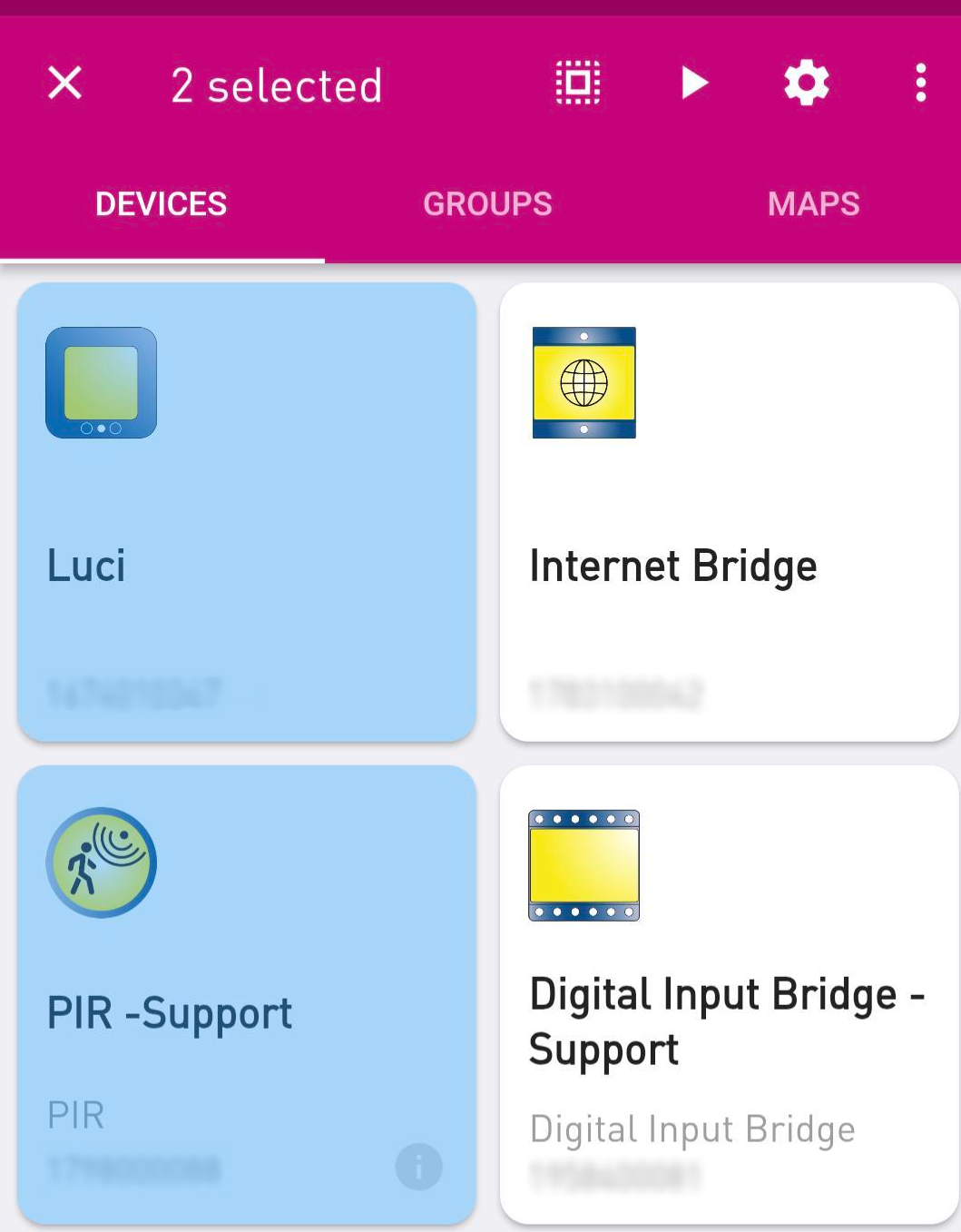
Start by identifying the devices you want to group together. Tap and hold these devices to select them.
This grouping allows you to manage the behaviour of the devices when sharing data
NOTE:
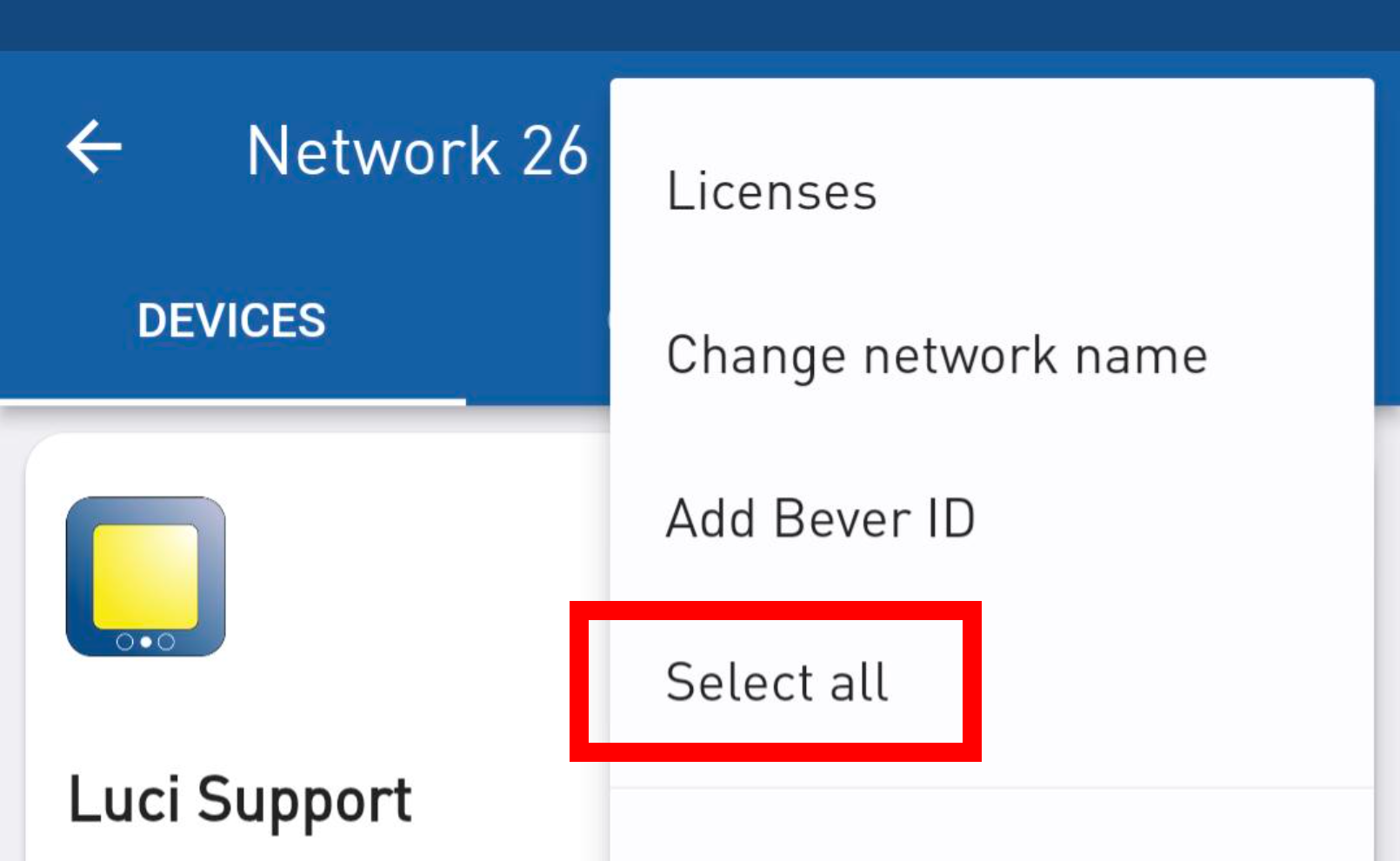
If no devices are selected yet, you can tap on the menu (three dots) and use the ‘select all’ option select all devices at once.
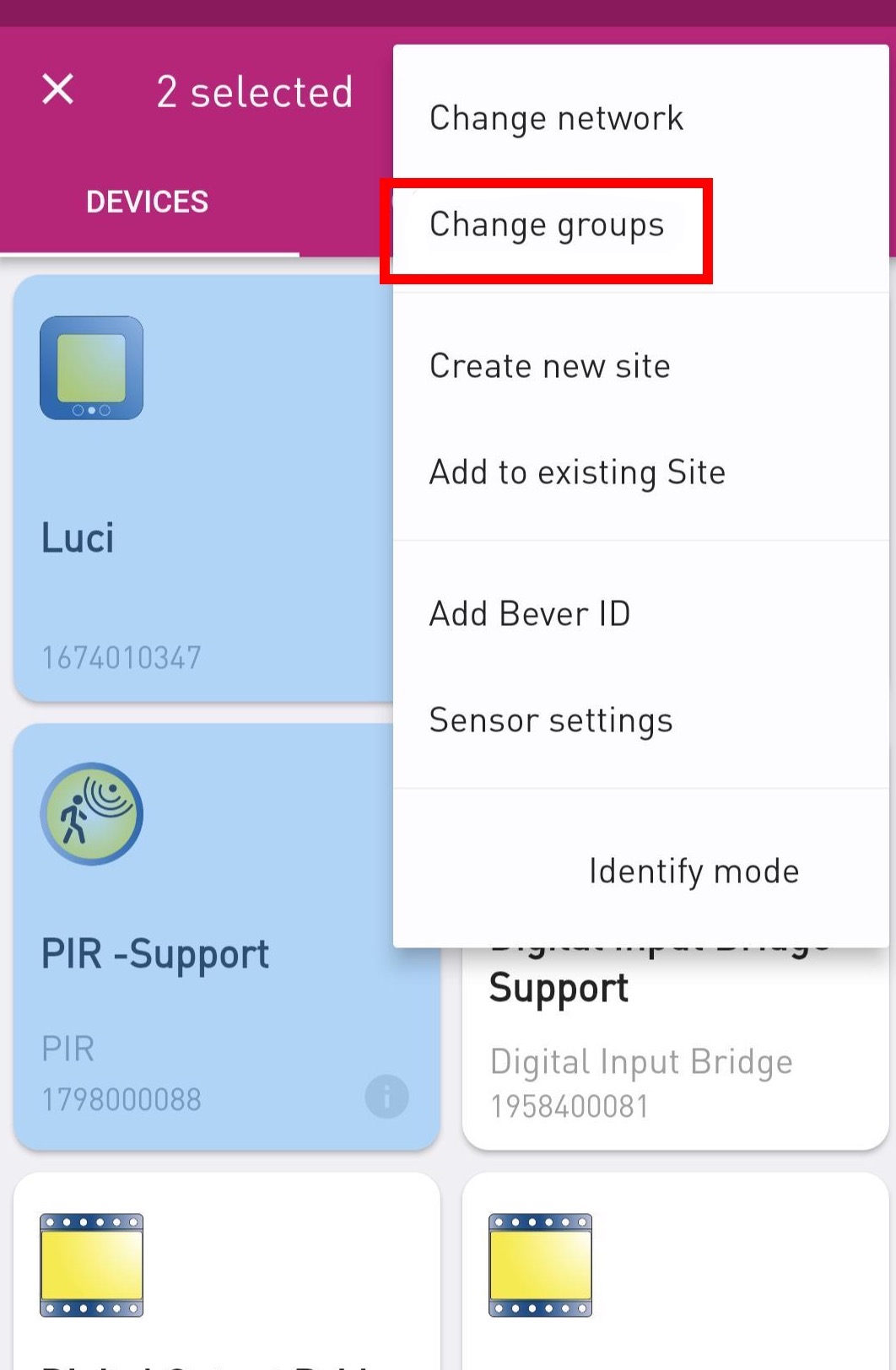
When the devices you want to add to a group are selected, open the menu in the top left corner and select ‘Change groups’.
Assign a unique ID to the group when creating it.
This ID serves as a reference point for identifying and managing the group:


NOTE:
Devices can be added to multiple groups
As soon as devices are in a group, they can share sensor information within the group
Was this article helpful?
That’s Great!
Thank you for your feedback
Sorry! We couldn't be helpful
Thank you for your feedback
Feedback sent
We appreciate your effort and will try to fix the article