Within a company you can create multiple sites (locations). Before you can add sites to your company, make sure you have created an account on for the Bever Dashboard
This article describes how to add a site to you company.
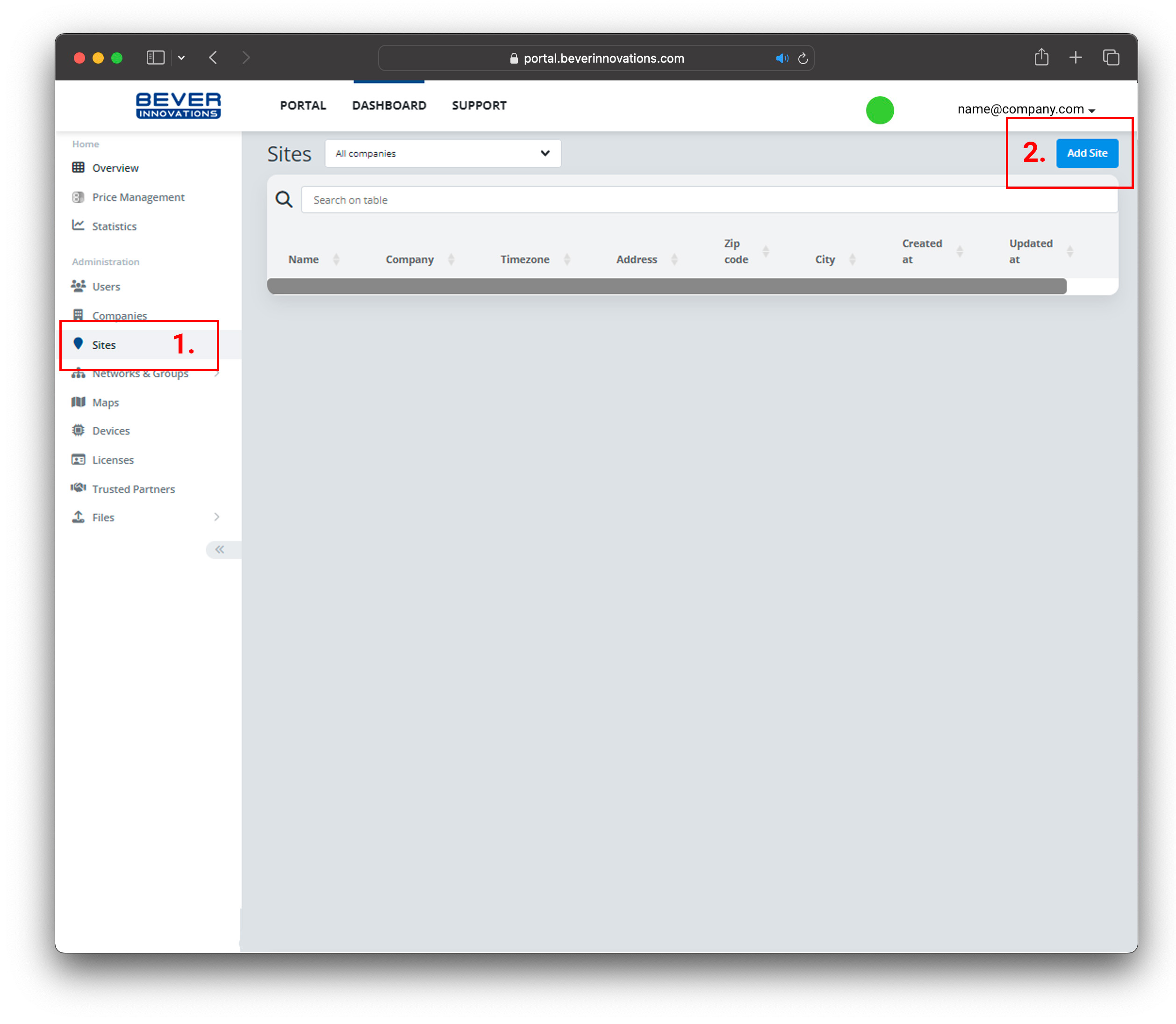
1. On the dashboard select 'Sites' from the side column and 'Add Site'
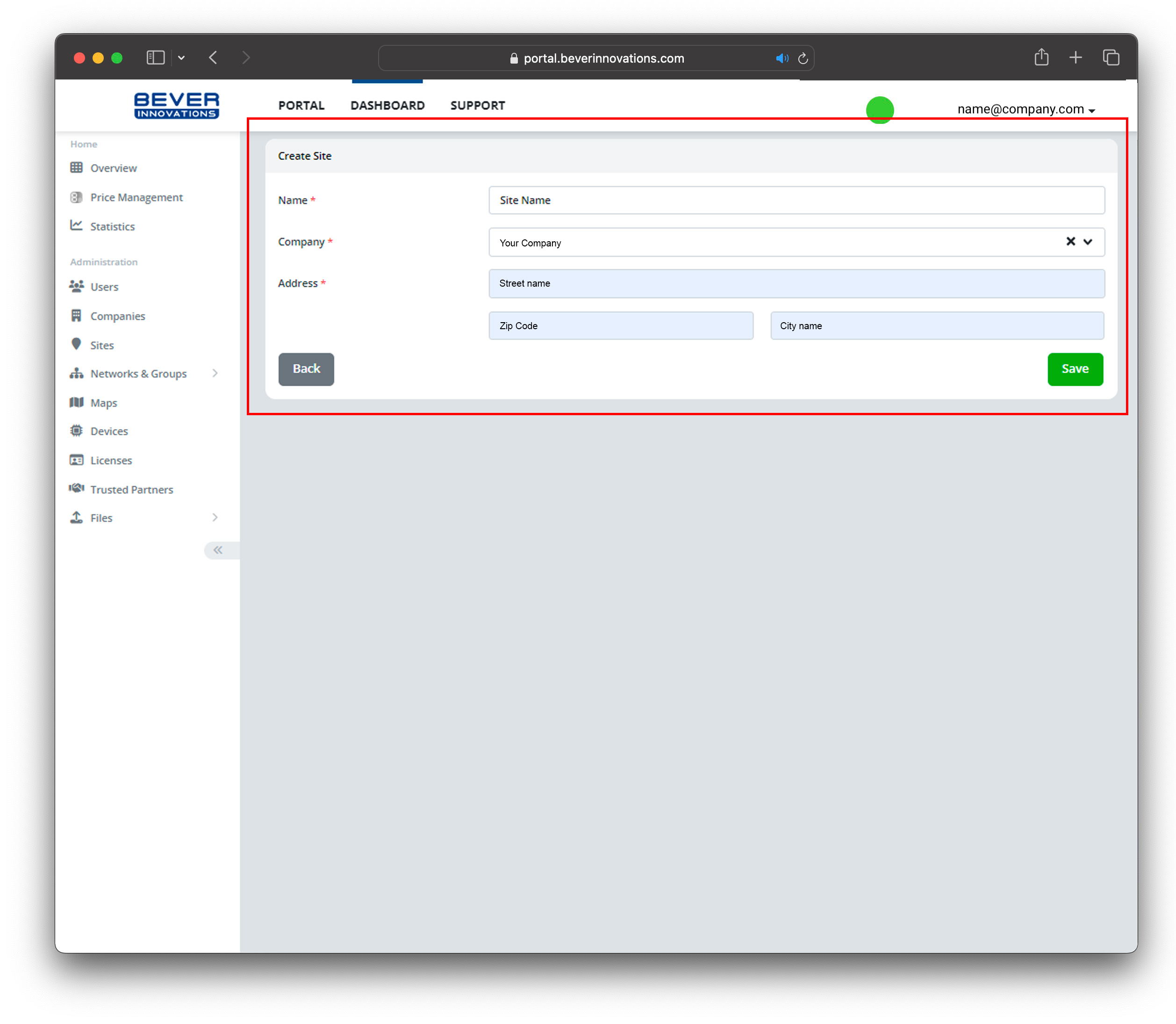
2. Give in the Sites details: name, (company) and address details. Once all details are filled out, press 'Save'to save the site details. Your site is created.
Was this article helpful?
That’s Great!
Thank you for your feedback
Sorry! We couldn't be helpful
Thank you for your feedback
Feedback sent
We appreciate your effort and will try to fix the article