When you decide to discontinue using the Bever Innovations dashboard and associated services, you have the option to permanently delete your account, in compliance with GDPR regulations.
- Login to your Account:
Begin by navigating to the Bever dashboard and log in to your account. - Edit profile
Once logged in, click on your user icon or email address located at the top right corner end select "Edit profile"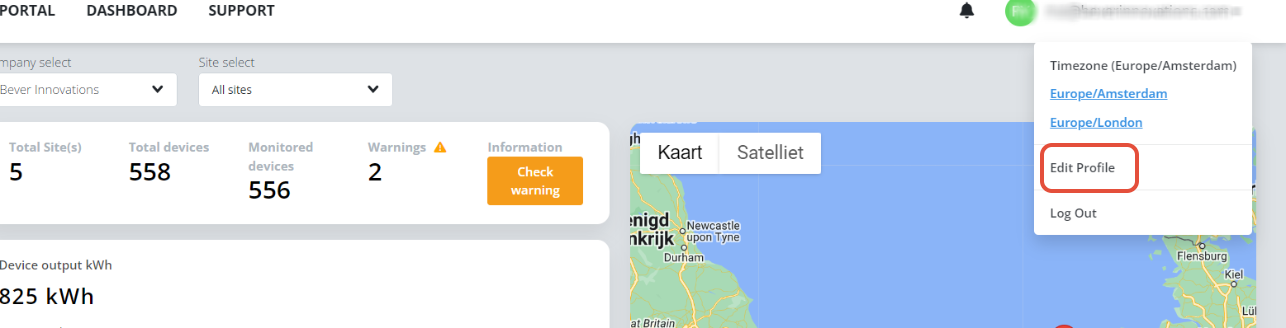
- Manage Account
Within the profile overview, click on "Manage Account":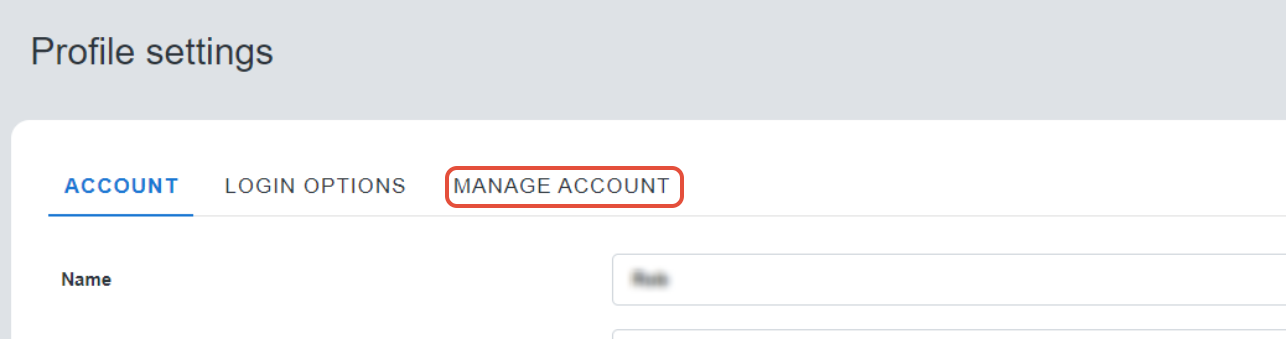
- Delete My Account
Here, you'll find the option to permanently delete your account: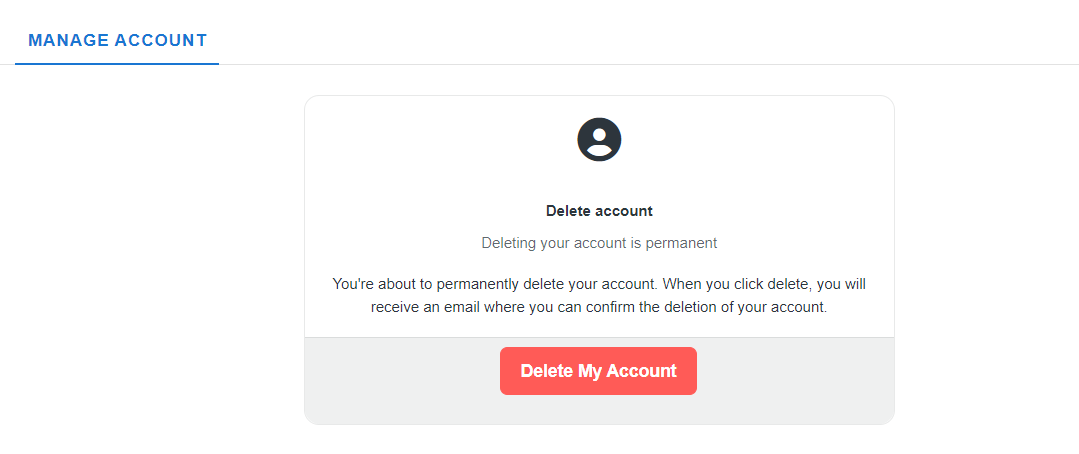
- Confirm deletion
To proceed, you'll be required to confirm this action by clicking on the link sent to your email address.
Note
Please note that this action is irreversible and will permanently remove your account and associated data from the Bever innovations database.
If you need any further assistance assistance, please do not hesitate to Contact our support team.
Was this article helpful?
That’s Great!
Thank you for your feedback
Sorry! We couldn't be helpful
Thank you for your feedback
Feedback sent
We appreciate your effort and will try to fix the article