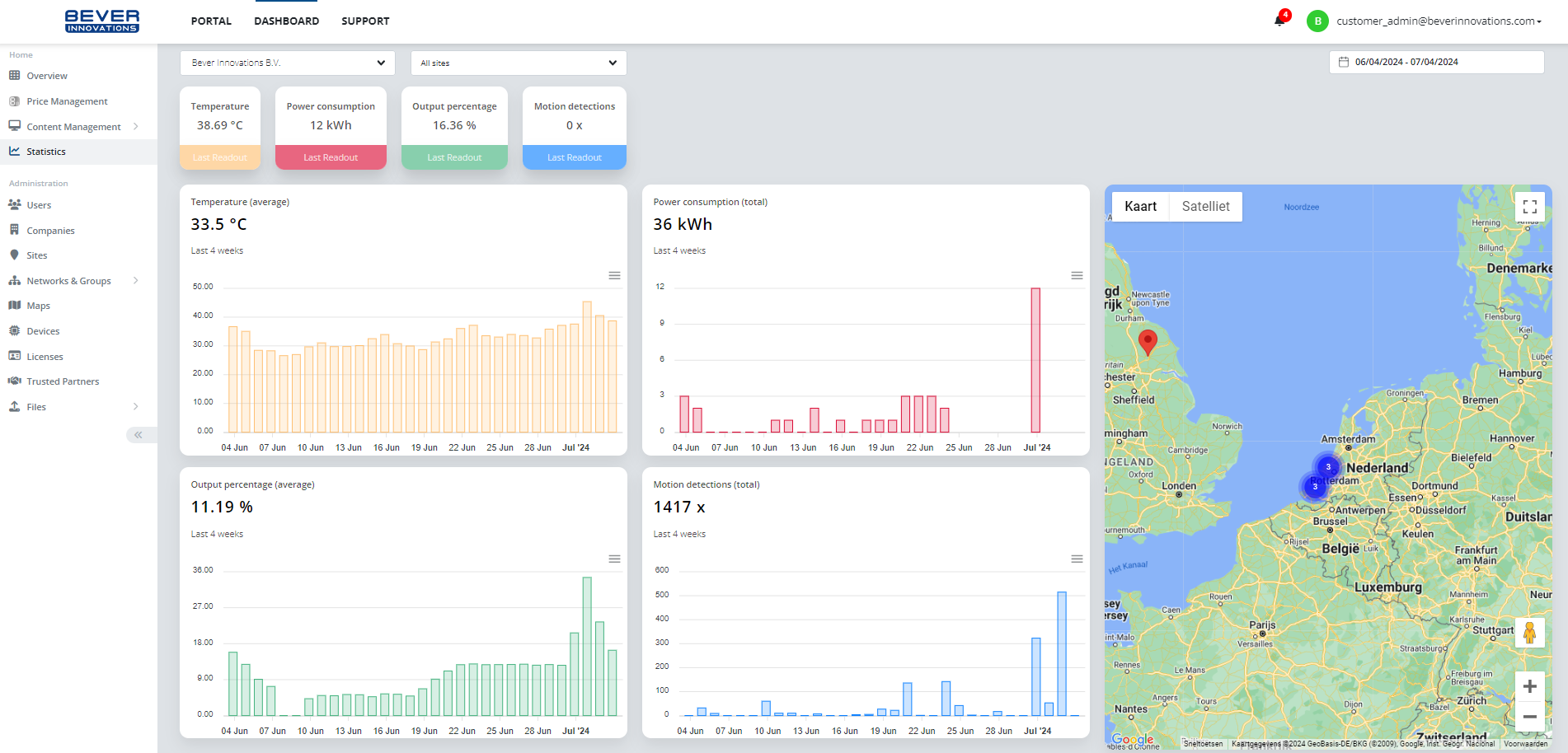
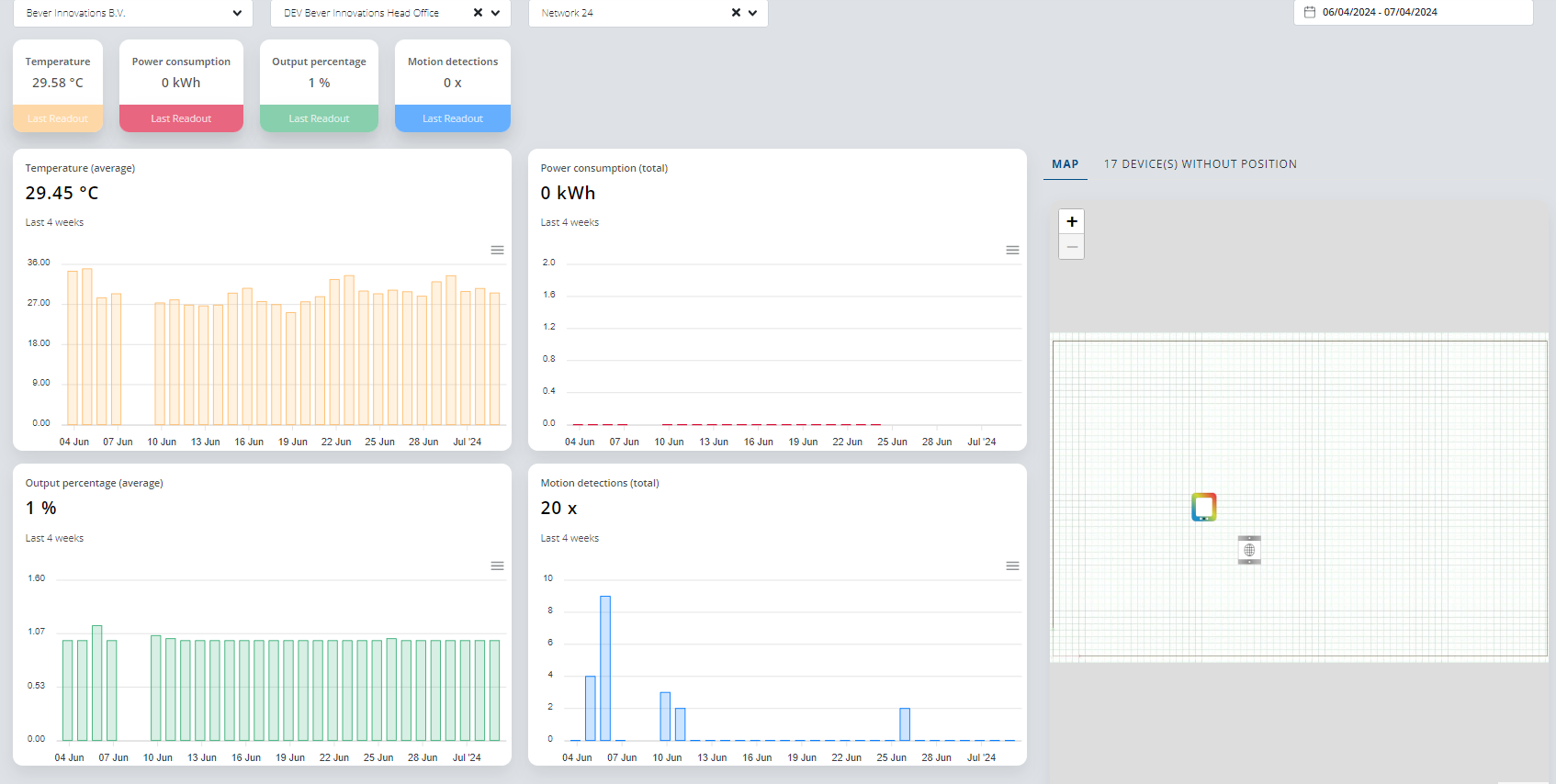
View various data, including the latest readouts and data widgets. When you select a site, you'll see data specific to that site. When selecting a network, you will see a folder containing devices. If a device has a position, it will be displayed, if not, you can find the device in the overview of devices without positions.
- Recent Additions
- Last Readouts added.
- Temperature: Displays average data for the selected period.
- Output Percentage: Displays average data for the selected period.
- Power Consumption: Added with total data. Hover to see the number of devices.
- Motion Detection's: Added with total data. Hover to see the number of devices.
Select a site and network to see a map of devices and an overview of devices without positions:
Was this article helpful?
That’s Great!
Thank you for your feedback
Sorry! We couldn't be helpful
Thank you for your feedback
Feedback sent
We appreciate your effort and will try to fix the article