This article describes how to activate your seven day trial period for the Bever App.
Before you can do this, you have to Create an account for the Bever Dashboard first.
1.Make sure you have an account for the Bever Dashboard.
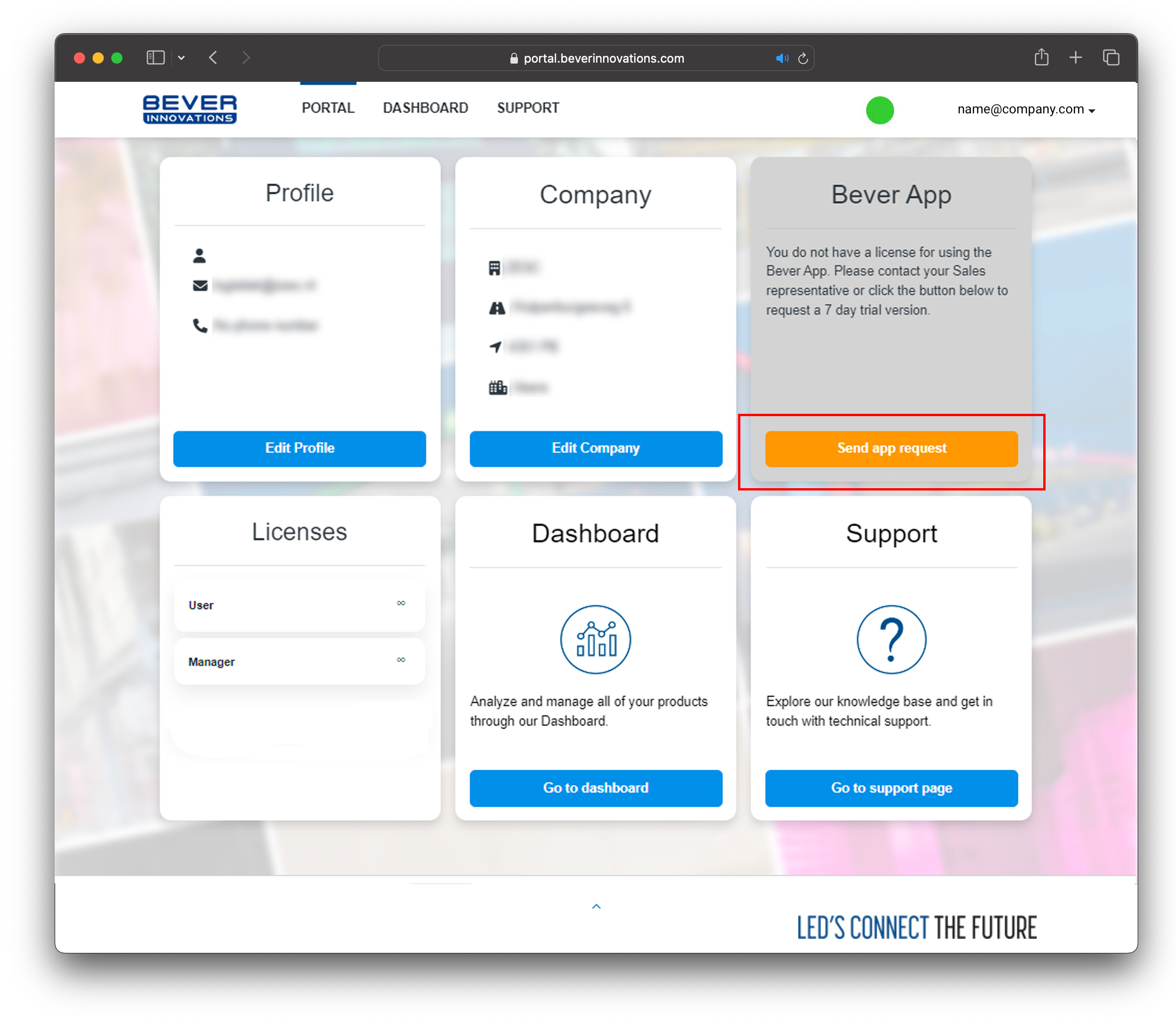
2. Once logged in, go to the portal section, send the App request to Bever Innovations.
Bever Innovations will check your account and will grand you access to the app. usually this is done within 24 hours.
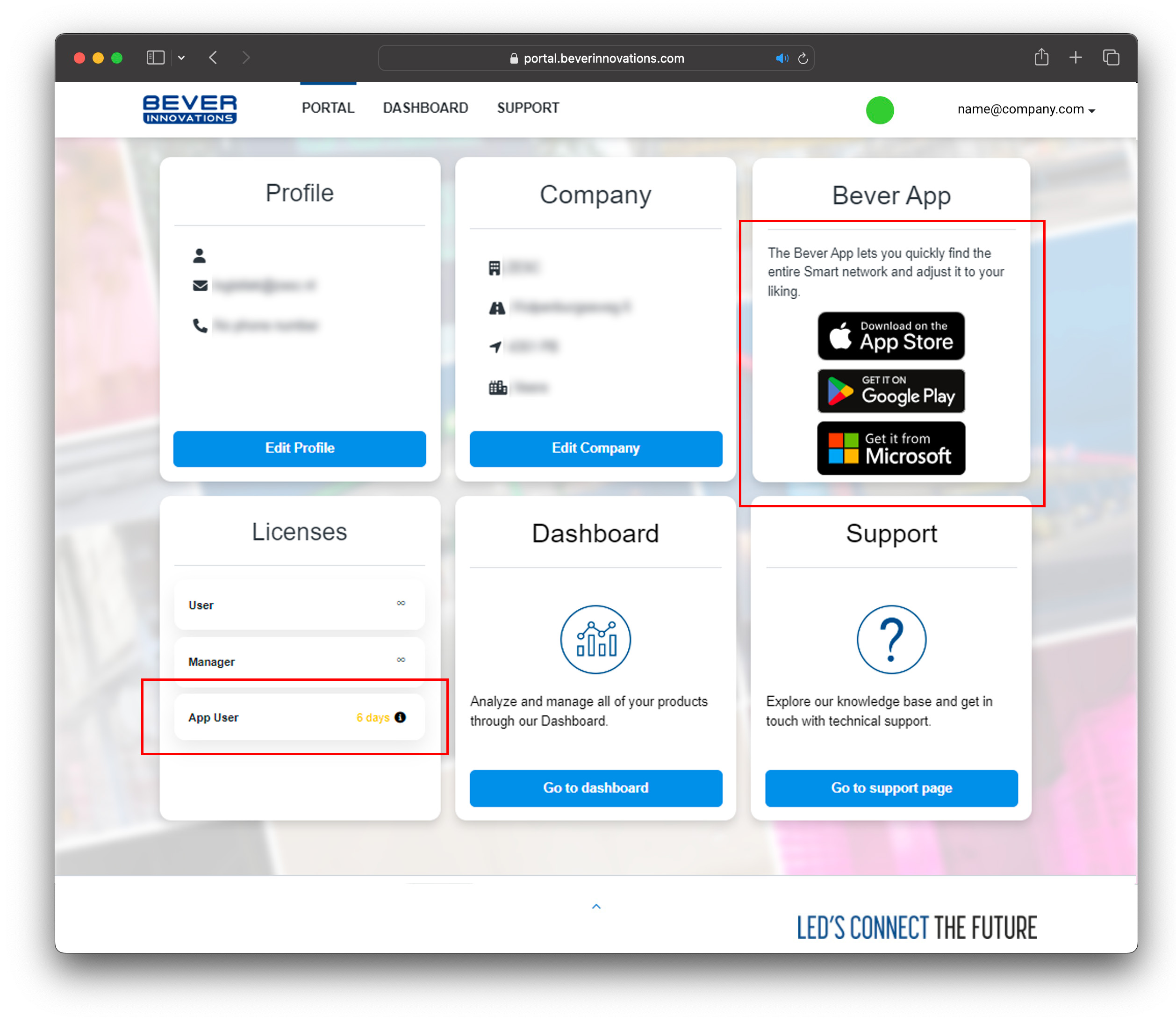
if your account is approved a 7 day license will be available for you to use the Bever App.
Download the Bever App from the App Store, Google Play Store, or Microsoft Store
NOTE:
If the download buttons for the Bever App are not available, please log out of your account (top right corner of the screen) and login again.
Was this article helpful?
That’s Great!
Thank you for your feedback
Sorry! We couldn't be helpful
Thank you for your feedback
Feedback sent
We appreciate your effort and will try to fix the article